Signalgrid Mail Gateway
Updated on September 05, 2026
Signalgrid provides a mail gateway that allows you to trigger
notifications simply by sending an email.
This makes it easy to integrate systems that can send emails but do not support HTTP APIs.
Each channel has its own email address that can receive specially formatted emails and turn them into notifications.
The address uses the following format:
Replace CHANNEL_TOKEN with the token of the channel that should receive the notification.
You can find the CHANNEL_TOKEN on the detail-page of the channel.
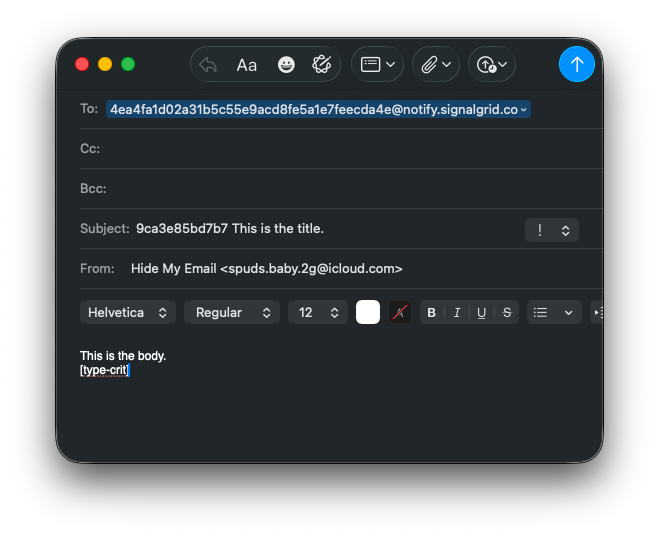
The email subject must begin with your client_key.
Everything after the first space is used as the notification title.
In this example:
Additional options can be defined inside the email body using tags.
These tags modify how the notification is delivered.
Place these anywhere in your mail-body, and our Mail Gateway will process them.
[is-critical][type-crit][type-warn][type-info][type-success]
This example will trigger a critical notification.
[type-crit] Sets the severity to CRIT, and will cause the notification to be shown in red color.
[is-critical] This causes the notification to be delivered as a Critical Notification, which will bypass DND, and depending on device-type - will be louder, and visibly different from regular notifications ( Example: iOs )
When the email arrives at the Signalgrid mail gateway, the message is processed and converted into a notification using the same system that handles API requests. The notification is then delivered to all devices subscribed to the selected channel.
This allows systems that can only send emails to integrate with Signalgrid and trigger real-time notifications.