Sending Your First Notification
Updated on March 31, 2026
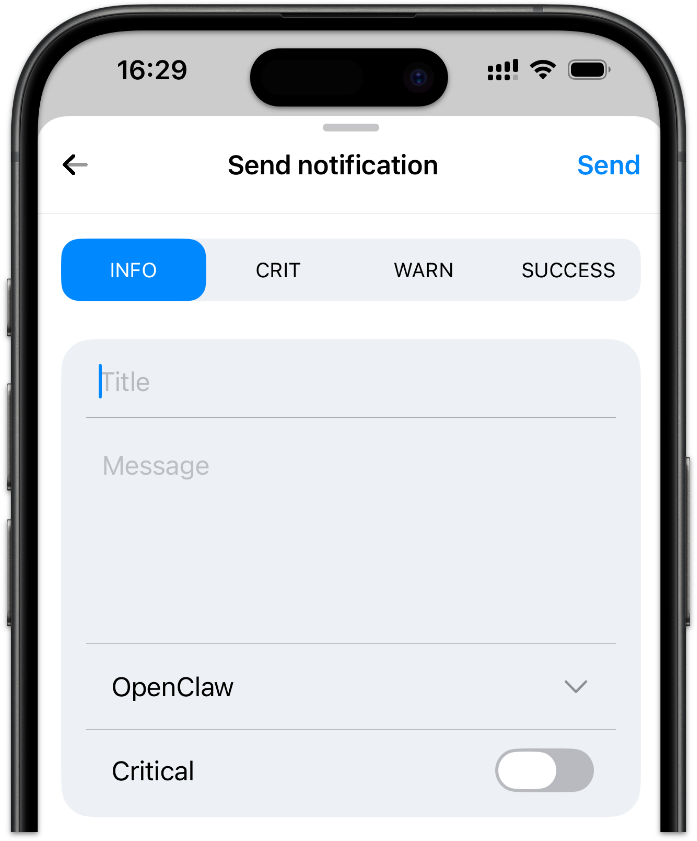
Before integrating Signalgrid into your services or scripts, it is a good idea to send a test notification. This allows you to confirm that your devices are registered correctly and that notifications are delivered as expected.
You can send notifications directly from the Signalgrid dashboard. This feature is available on every platform — iOS, Android, and the web dashboard. Simply open the dashboard and use the notification form to send a test message.
When sending a notification from the dashboard, you need to provide the following information:
Notifications sent from the dashboard behave exactly the same as notifications sent through the Signalgrid API. The dashboard simply uses the same API internally to create and deliver the notification.
This makes the dashboard a convenient way to test your setup before integrating Signalgrid into your applications or automation workflows.
Now that your setup is working and you can successfully send notifications, the next step is integrating Signalgrid into your services.
Click here to learn how you can use our API.