Activities
Updated on March 31, 2026
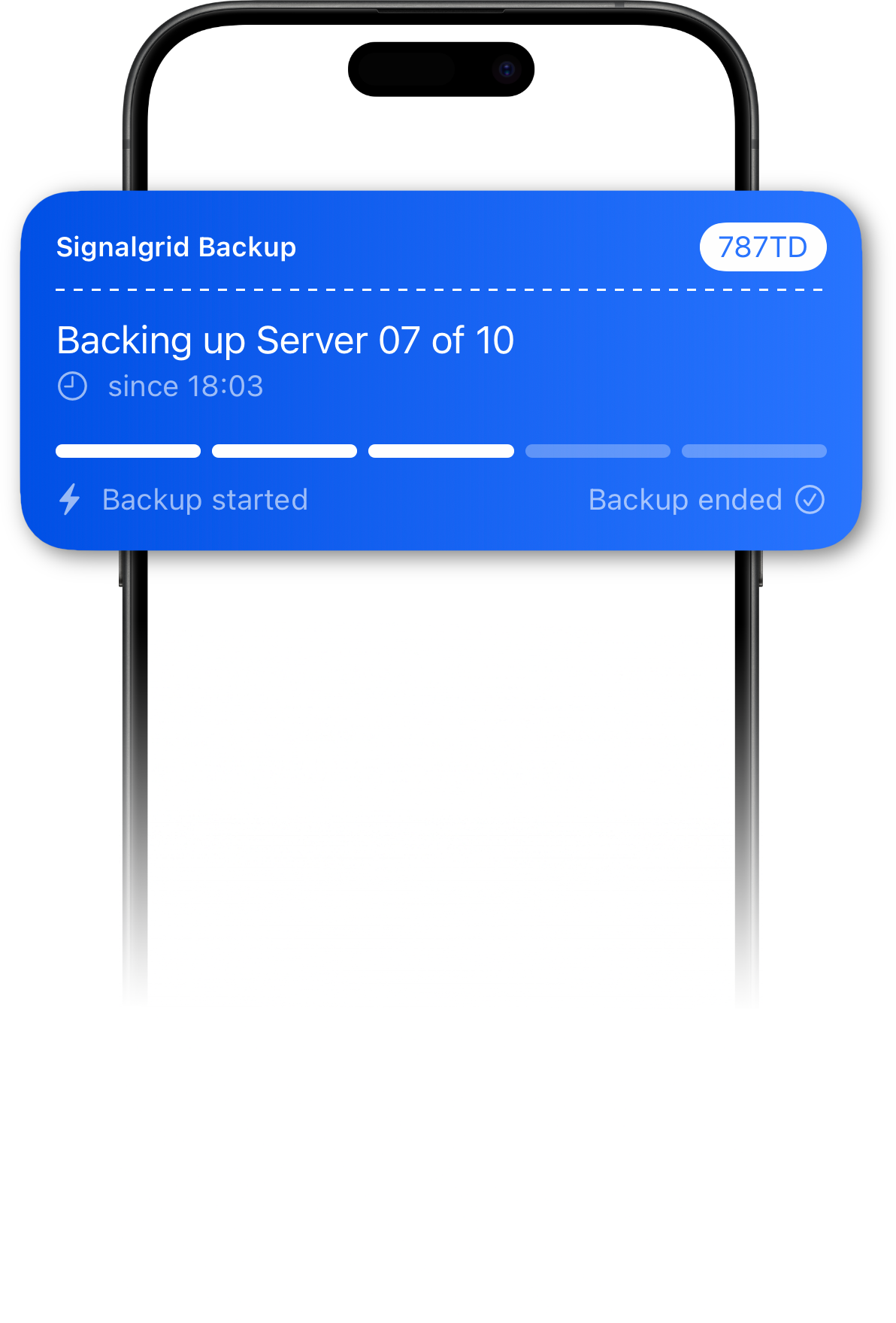
Signalgrid Activities are designed for long-running processes that should stay visible on a device while work is in progress. Instead of sending multiple separate notifications, one activity can be started, updated over time, and then ended when the process finishes.
On iOS, Activities appear as Live Activities. On Android, they appear as Ongoing Notifications. Both represent the same Signalgrid feature, but the operating systems present them differently and apply different platform rules.
Activities work best for deployments, CI pipelines, backups, imports, and other workflows that stay active for a while.
They are not meant to replace every normal push notification.
An Activity has three typical phases:
If you need the request format, parameters, and token handling, use the Activity API documentation. This page focuses on user-facing behavior and platform expectations instead of raw API usage.
On iOS, Signalgrid Activities are shown as Apple Live Activities. They are intended for something that is currently happening and changing over time. Depending on the device and iOS version, users may see them on the Lock Screen or in the Dynamic Island.
Helpful things for users to know on iOS:
For the best result on iOS, keep titles and body text short, keep progress meaningful, and avoid sending tiny cosmetic updates that do not really help the user.
On Android, the same Signalgrid feature is presented as an Ongoing Notification. This keeps the process visible in the notification shade while it is active and makes it suitable for workflows that users may want to glance at repeatedly.
Helpful things for users to know on Android:
Sadly, browsers do not support activities.
Both Apple and Android apply platform limits to reduce battery drain and unnecessary background churn. Signalgrid does not control those internal operating-system budgets.
If activities are updated too frequently, devices may ignore or delay updates.
Prefer meaningful progress changes over noisy, second-by-second updates.
Practical guidance:
Good Activities are easy to understand at a glance. Users should be able to see what is happening, how far it has progressed, and whether anything still needs attention.